How to Add an AI Chatbot to a Next.js SaaS App

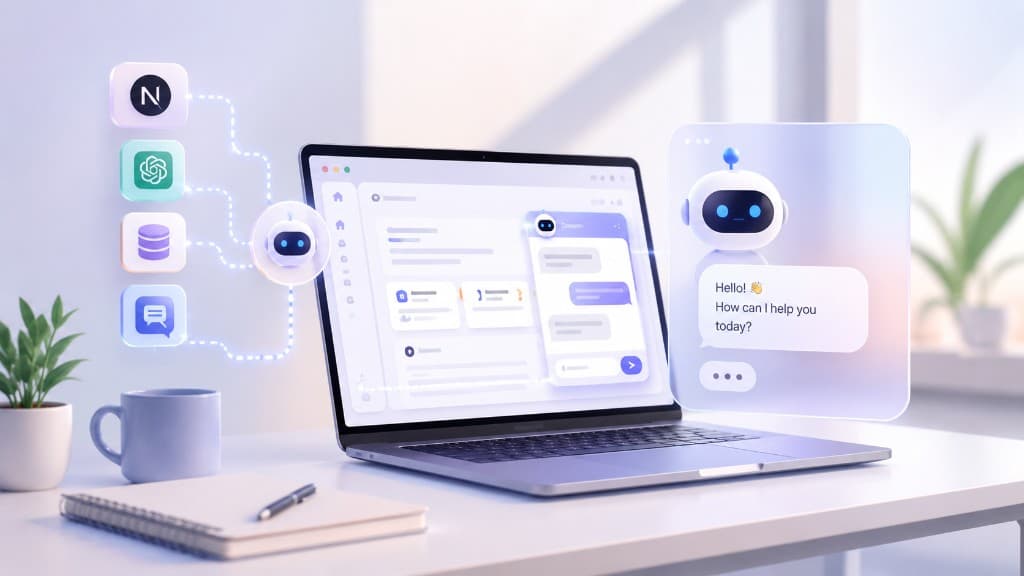
A production guide to embedding an LLM assistant in Next.js SaaS — streaming, tenant-scoped RAG, permissions, cost controls, evals, and safe fallbacks.
Start with one job, not a general assistant
The fastest way to ship a weak AI chatbot is to promise “ask anything about our product.” Production AI integrations work better when the assistant owns one high-value job: answer billing questions from docs, draft support replies, summarise a project, or route a ticket.
Map that job to the authenticated Next.js SaaS session. The model should never see another tenant’s data, and every tool call should inherit the same authorisation checks as your API routes. At Automative Tech we treat the chatbot as a product surface with SLOs — not a weekend demo bolted onto a layout.
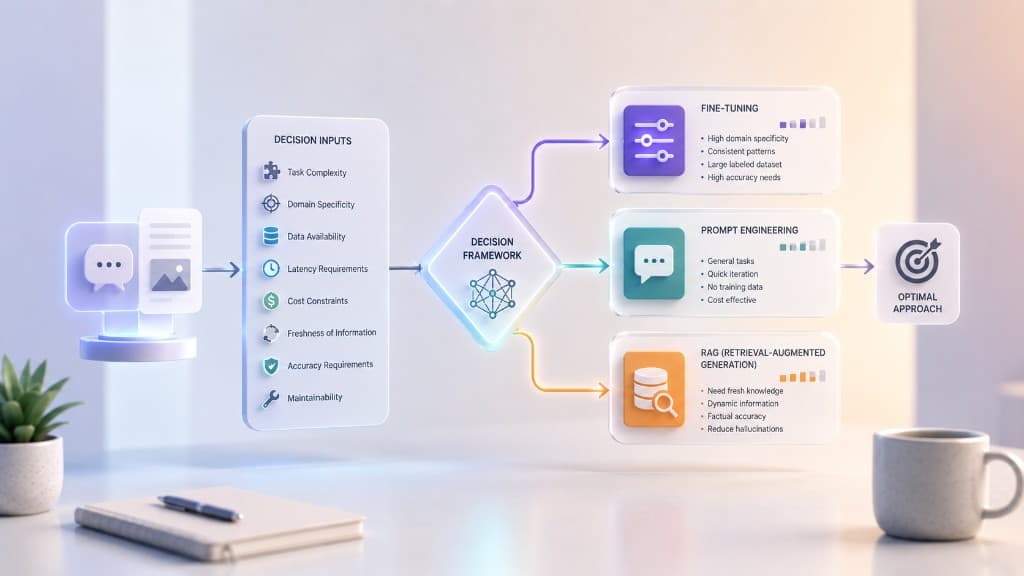
Define success before you pick a model: grounded answers with citations, time-to-first-token under a budget, and a clear non-AI path when the provider is down.
Version prompts and tool schemas the same way you version APIs. Incident reproduction depends on knowing which contract was live.
Streaming, schemas, and permission checks
Users forgive imperfect answers more than they forgive a frozen spinner. Stream tokens from a Route Handler or server action, keep the UI responsive, and validate structured tool outputs with Zod (or equivalent) before side effects run.
Permission checks belong in your application layer, not in the prompt. Resolve tenant, role, and resource IDs from the session; pass only authorised context into the model. If the user cannot open a record in the UI, the chatbot must not summarise it either.
Version prompts and tool schemas the same way you version APIs. Incident reproduction depends on knowing which contract was live.
// Tenant-aware assistant call (sketch)
const answer = await assistant.respond({
  tenantId: session.tenantId,
  userId: session.userId,
  message,
  retrievalFilter: { tenantId: session.tenantId },
  stream: true,
  tools: authorisedToolsFor(session.role),
});
Tenant-scoped retrieval (RAG) that stays safe
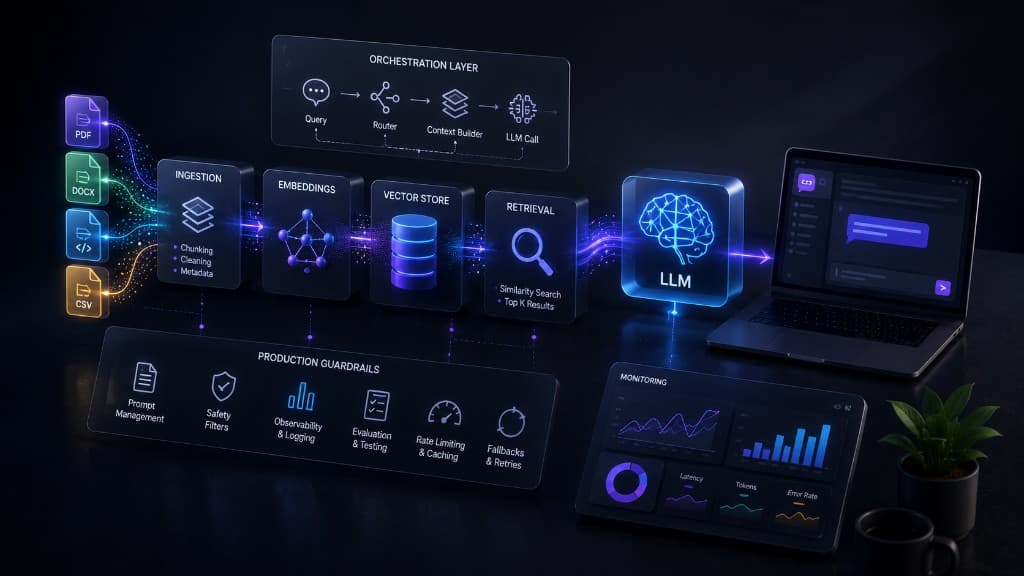
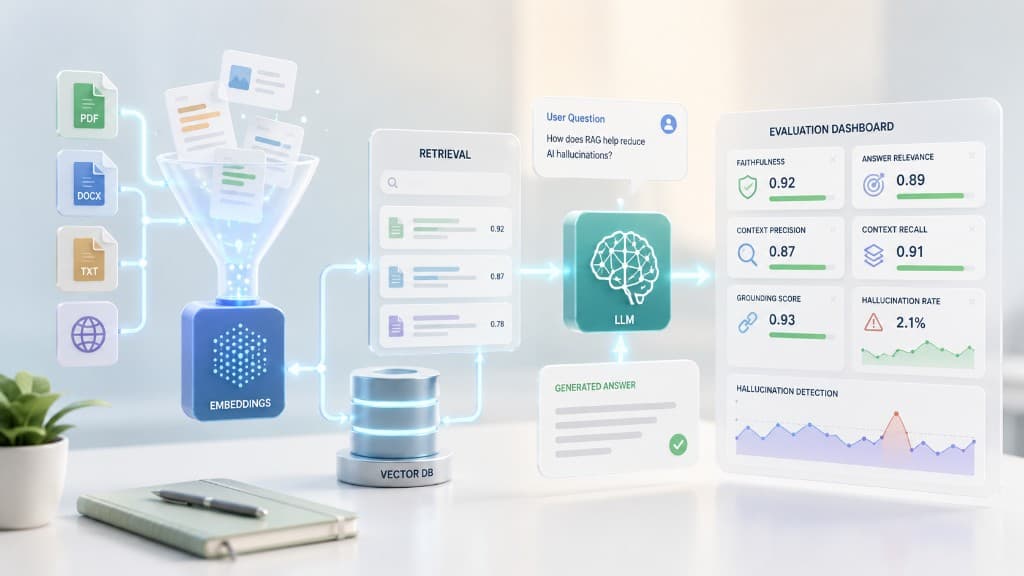
Most SaaS chatbots need retrieval-augmented generation over help docs, account data, or both. Index with tenant filters from day one. Hybrid search (dense vectors + keyword) usually beats pure vector search for product documentation.
Chunk by semantic sections, store document ACLs with embeddings, and refuse to answer when retrieval confidence is low. Citations in the UI build trust and make debugging hallucinations dramatically easier.
Never “just embed the whole database.” Prefer curated knowledge sources and explicit tool reads for live account state.
Version prompts and tool schemas the same way you version APIs. Incident reproduction depends on knowing which contract was live.
Cost, latency, and fallback behaviour
Cap max tokens, route simple intents to smaller models, and cache frequent FAQ embeddings with semantic similarity thresholds. Log input/output tokens, TTFT, and cost per tenant so finance is not surprised after launch week.
When the model times out or fails evals, degrade gracefully: search results, canned workflows, or a handoff to human support. A chatbot that fails closed into a useful path keeps AI features from becoming outages.
Version prompts and tool schemas the same way you version APIs. Incident reproduction depends on knowing which contract was live.
Evals and a launch checklist
Ship with a golden question set covering happy paths, refusal cases, and cross-tenant attack attempts. Gate prompt and retrieval changes on faithfulness and permission tests in CI.
Before you enable the feature for all tenants, confirm kill switches, budget alerts, PII scrubbing in logs, and an on-call owner. That is how custom web development with AI integrations stays production-grade — and how Automative Tech approaches assistant features inside Next.js SaaS products.
Version prompts and tool schemas the same way you version APIs. Incident reproduction depends on knowing which contract was live.
Roll out the chatbot in cohorts
Enable the assistant for internal users first, then a small tenant cohort. Watch grounded citation rate, escalation rate, TTFT, and cost per conversation before a broader release.
A Next.js SaaS chatbot is ready when support can disable it, reproduce a bad answer from a trace, and still help the customer without the model.
Version prompts and tool schemas the same way you version APIs. Incident reproduction depends on knowing which contract was live.
Separate tools from free-form chat
Let the model draft language, but execute side effects only through typed tools with server-side authorisation. Creating a ticket, issuing a refund, or changing a seat count should never be “the model said so.”
Log tool name, arguments, and outcome beside the conversation turn. When something goes wrong, support needs a replayable trail — not a screenshot of the chat bubble.
Version prompts and tool schemas the same way you version APIs. Incident reproduction depends on knowing which contract was live.
Design the empty and refusal states
Users trust assistants that admit limits. Ship clear refusals for out-of-scope, cross-tenant, and low-confidence retrieval cases, and offer a human handoff or docs search instead of inventing an answer.
Those states are product copy, not afterthoughts. They belong in the same design review as the happy-path conversation.
Version prompts and tool schemas the same way you version APIs. Incident reproduction depends on knowing which contract was live.
“A SaaS chatbot is a permissioned product workflow that happens to use a model — not a chat widget with a system prompt.”
Checklist
- Single high-value job defined with success metrics
- Streaming responses with structured tool validation
- Tenant filters on every retrieval and tool call
- Token budgets, cost alerts, and model routing
- Golden-set evals in CI including cross-tenant cases
- Kill switch and non-AI fallback path tested
Muhammad Talha Zubair
CTO & Managing Director
Owns technical direction and delivery across web, mobile, and AI integration work. Sets architecture standards and keeps product engineering close to the builders.
Let's build something
remarkable
Whether you need a web or mobile app with AI integrations, blockchain work, or a conversation about our AI products — tell us what you're building and we'll respond fast.
Blog questions
How we write, how often we publish, and how you can contribute or stay in the loop.
Blogs are written by Automative Tech’s engineering leadership — Muhammad Talha Zubair, Bilal Hassan, and Umar Khalid — based on production web, mobile, AI integration, and blockchain work.
We lead with custom web and mobile delivery with AI integrations — Next.js, React, React Native, Flutter, and LLM features. Selected posts also cover blockchain, AI products, and cloud when they support shipping real products.
A few deep pieces per month. We prioritize substance over cadence.
Yes with attribution and a link back to the original. For syndication, contact us for a simple agreement.
Occasionally, when the author has real production experience. Pitch a short outline via the contact form.
Follow the social links in the footer, or contact us to ask about engineering notes updates.